

Start Evidence Acquisition
Overview
Section titled “Overview”The Start Evidence Acquisition action collects evidence from the asset from the trigger using an acquisition profile, and waits until the acquisition finishes.
Use it to capture evidence at the right moment, for example as soon as a new asset registers, or when a Hunt/Triage task finds a match.
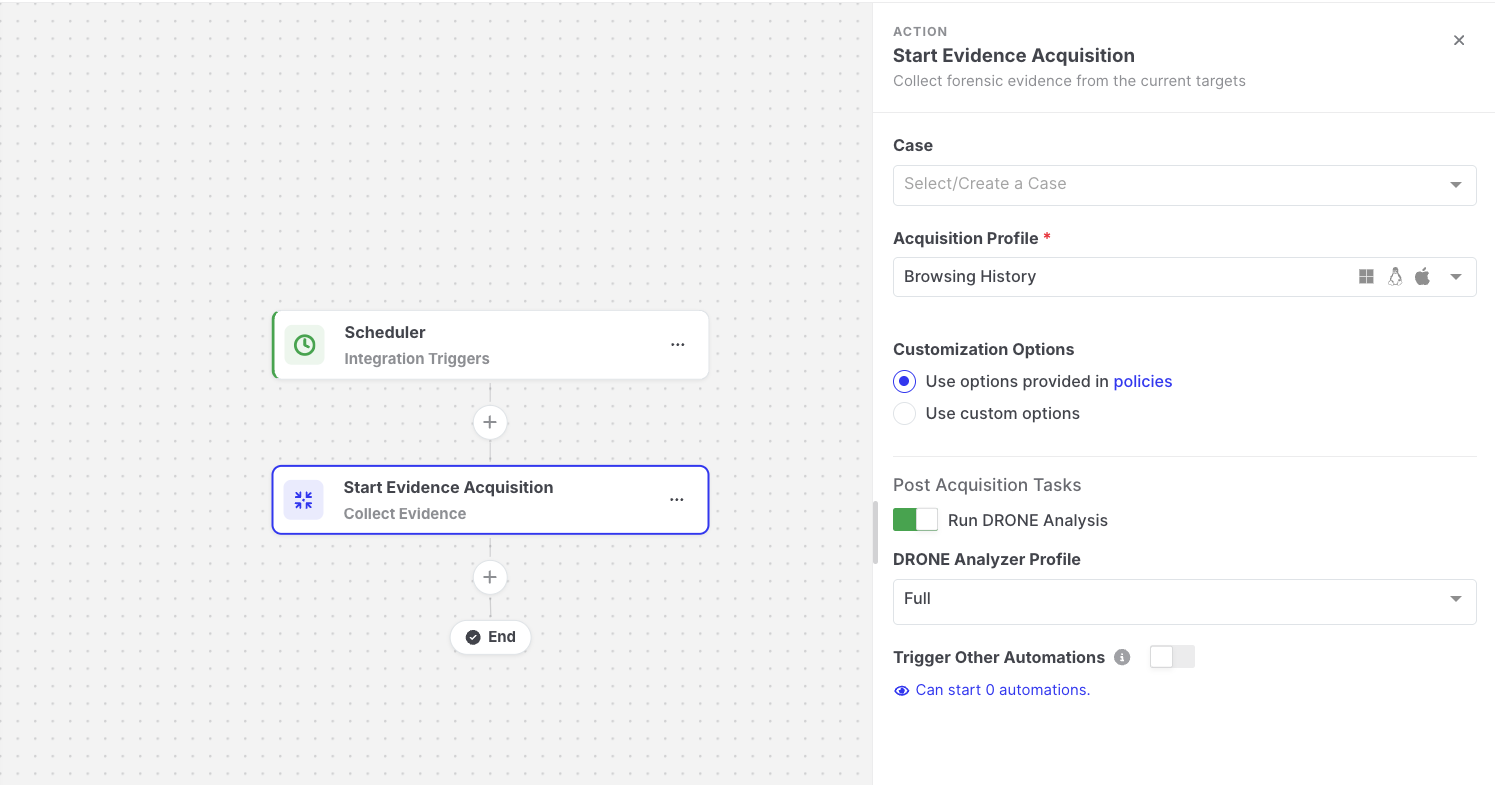
Start Evidence Acquisition: Action settings
Settings
Section titled “Settings”| Setting | Description |
|---|---|
| Case | The case the acquisition is added to. Required when the Case Selection setting enforces mandatory case selection. |
| Acquisition Profile | Required. Defines which evidence is collected. |
| Advanced options | The same task options as a manual acquisition, such as the evidence repository, resource limits, and event log and file system options. |
| Post Acquisition Tasks | Optionally runs DRONE analysis (with a DRONE Analyzer Profile) and the MITRE ATT&CK Analyzer on the collected evidence. |
| Trigger Other Automations | Off by default. When enabled, the acquisition created by this action can start other automations that use the Evidence Acquisition Completed trigger. Leave it off to avoid automation loops. |
The action performs an online evidence acquisition on the asset. Automations cannot start offline acquisitions.
Output available to later steps
Section titled “Output available to later steps”| Field | Example expression |
|---|---|
| Task status and link | {{start-evidence-acquisition.output.taskStatus}}, {{start-evidence-acquisition.output.taskDetailsViewUrl}} |
| Finding counts by severity | {{start-evidence-acquisition.output.findingCounts.high}} |
| Collected evidence counts | {{start-evidence-acquisition.output.totalEvidence}} |
| MITRE ATT&CK tactics and techniques | {{json start-evidence-acquisition.output.mitreSummary}} |
| Acquisition profile used | {{start-evidence-acquisition.resolvedConfig.acquisitionProfileName}} |
Counts are best-effort. A value that cannot be read is omitted, and a value of 0 means nothing was found.
Example
Section titled “Example”The Automated Incident Response on Asset Deployment template combines Device Registered, Start Evidence Acquisition, and Send Email. See Templates.