

Hunt/Triage Completed
Overview
Section titled “Overview”The Hunt/Triage Completed trigger starts an automation when a Hunt/Triage task finishes on an asset. In the trigger list, it appears as Triage Completed.
Use it to react to hunt results, for example to collect evidence or isolate an asset when a YARA, Sigma, or osquery rule matches.
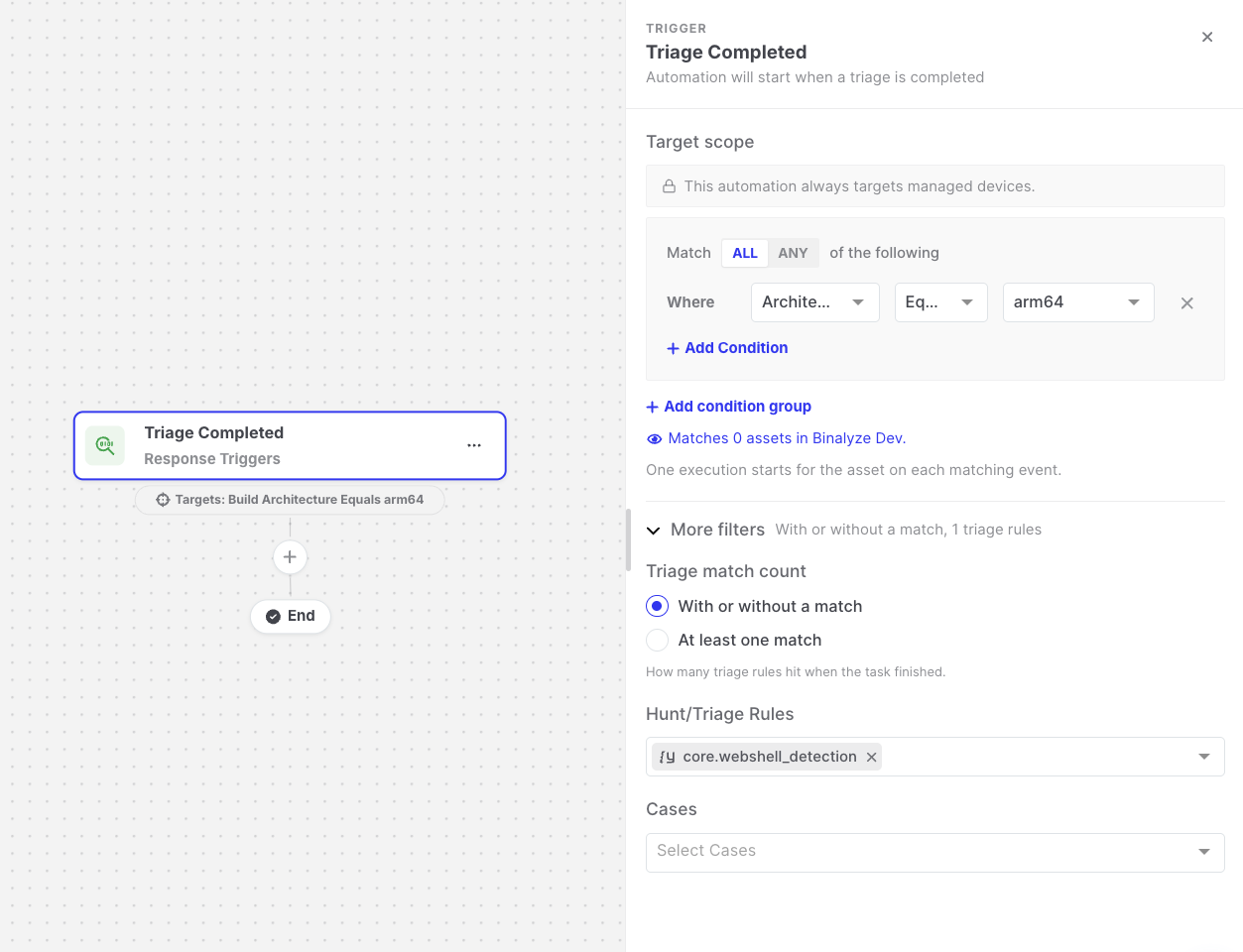
Hunt/Triage Completed: Trigger settings
Settings
Section titled “Settings”| Setting | Description |
|---|---|
| Target scope | The assets the automation runs for. The asset on which the triage finished must match. See Asset targeting. |
| Triage match count | With or without a match (default) runs for every completed triage. At least one match runs only when at least one triage rule matched on the asset. |
| More filters > Triage Rules | Optional. Runs only when the triage used one of the selected rules. |
| More filters > Cases | Optional. Runs only when the triage belongs to one of the selected cases. |
Leave the optional filters empty to run for every completed triage on a matching asset.
Data available to later steps
Section titled “Data available to later steps”| Field | Example expression |
|---|---|
| Asset name, platform, OS, and IP address | {{triage-completed.endpoint.endpointName}} |
| Task name and ID | {{triage-completed.taskName}} |
| Number of rules that matched | {{triage-completed.triageMatchCount}} |
| Finding counts (total, YARA, Sigma, osquery) | {{triage-completed.totalFindingsCount}} |
| Duration in seconds | {{triage-completed.timeTookInSeconds}} |
- Hunt/Triage tasks created by an automation’s Start Hunt/Triage action only start this trigger if Trigger Other Automations is enabled on that action.
- The triage match count is the number the Responder reports when the task finishes. If no number is reported, the At least one match option does not run the automation.