

HTTP Request
Overview
Section titled “Overview”The HTTP Request trigger lets an external system, such as a SIEM, SOAR platform, ticketing tool, or script, start an automation by sending an HTTP POST request to the automation’s trigger URL.
Use it to run AIR response actions from your existing tooling, for example: when the SIEM raises a critical alert for these hosts, start a Hunt/Triage task on them.
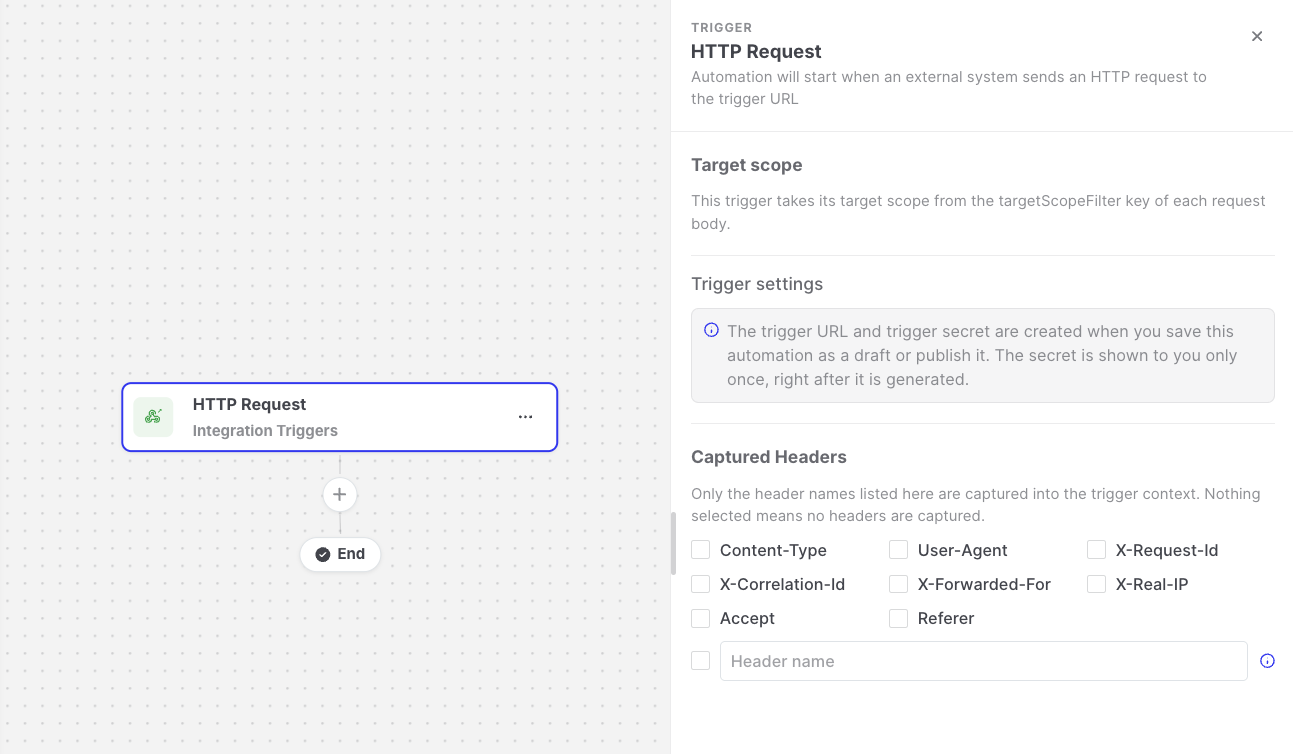
HTTP Request: Trigger settings
Trigger URL and trigger secret
Section titled “Trigger URL and trigger secret”Each HTTP Request trigger has its own URL and its own secret. To set them up:
- Save the automation, either as a draft or published. AIR creates the Trigger URL.
- Click Generate Secret. The Trigger Secret is displayed only once, so copy it immediately. You cannot retrieve it later; you can only replace it.
- Provide the URL and the secret to the calling system.
The trigger URL stays inactive until a secret has been generated.
Regenerate Secret replaces the current secret. Every system that still uses the old secret is refused until it receives the new one.
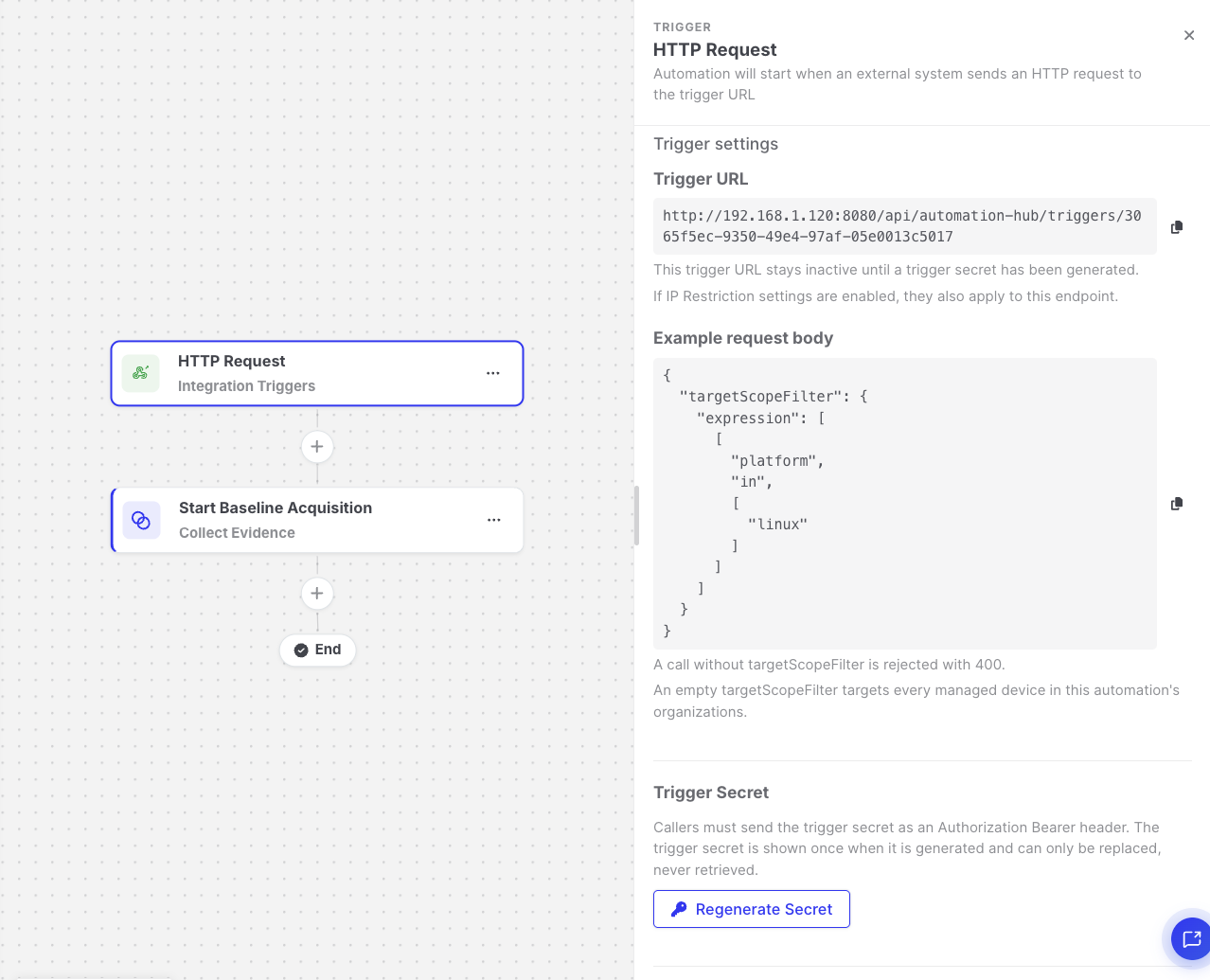
HTTP Request: Trigger secret and example request
Sending a request
Section titled “Sending a request”The calling system must:
- Use the
POSTmethod withContent-Type: application/json. - Send the secret in the
Authorization: Bearer <secret>header. - Include a
targetScopeFilterkey in the request body to define which assets the automation runs for.
curl -X POST 'https://<console-address>/api/automation-hub/triggers/<trigger-id>' \ -H 'Authorization: Bearer <trigger-secret>' \ -H 'Content-Type: application/json' \ -d '{ "targetScopeFilter": { "expression": [["platform", "in", ["linux"]]] }, "alert": { "id": "INC-1234", "severity": "high" } }'Target scope in HTTP Request
Section titled “Target scope in HTTP Request”Unlike other triggers, you do not define a target scope in the trigger settings. Instead, the caller sends it in every request as targetScopeFilter, using the same filter format as the AIR API asset filters. This lets the caller decide which assets the automation runs for each time it calls the trigger URL, for example only the hosts named in a SIEM alert.
{ "targetScopeFilter": { "expression": [["platform", "in", ["linux"]]] }, "alert": { "id": "INC-1234", "severity": "high" }}When the request arrives, AIR evaluates the filter, and every matching asset gets its own execution, the same way as fan-out triggers such as Scheduler.
- The always-applied conditions also apply, so the filter only matches managed endpoints.
"targetScopeFilter": {}targets every managed endpoint in the automation’s organization.- A request without
targetScopeFilter, or with an invalid one, is rejected with400 Bad Request. - The filter can never target assets outside the automation’s organization. The organization cannot be set in the filter.
- If the filter matches no asset, the request is still accepted, but no run is recorded.
SIEM sends POST /api/automation-hub/triggers/<trigger-id> └── targetScopeFilter matches 3 assets └── 1 Run ├── Execution — db-01 ├── Execution — db-02 └── Execution — db-03Responses
Section titled “Responses”| Response | Description |
|---|---|
202 Accepted | The request was accepted and queued, and a request ID is returned. This does not guarantee that the automation ran, because matching assets and running the actions happen afterwards. Check the automation’s Runs tab for the result. |
400 Bad Request | targetScopeFilter is missing or invalid. |
401 Unauthorized | The secret is missing or incorrect, or the trigger URL does not exist. |
403 Forbidden | The secret is correct, but the automation is not published. |
413 Payload Too Large | The request body is larger than 1 MB. |
415 Unsupported Media Type | The request is not sent as application/json. |
429 Too Many Requests | Too many requests were sent in a short time. Requests are rate-limited per trigger URL and caller address. |
Settings
Section titled “Settings”| Setting | Description |
|---|---|
| Captured Headers | The request headers that are copied into the automation data, so later steps can use them. If no header is selected, no headers are captured. Headers that can carry credentials, such as Authorization, Proxy-Authorization, and Cookie, are never captured. |
Data available to later steps
Section titled “Data available to later steps”| Field | Example expression |
|---|---|
| Any value from the request body | {{http-request.body.alert.severity}} |
| Query string parameters | {{http-request.query.source}} |
| Captured headers | {{http-request.headers.x-request-source}} |
| Request ID | {{http-request.requestId}} |
Limits
Section titled “Limits”- Request bodies are limited to 1 MB.
- Only the first 64 KB of the body is kept for later steps. If the body is larger, it is truncated, and any expression that points to the removed part renders as empty.