

Send Slack Message
Overview
Section titled “Overview”The Send Slack Message action posts a message to a Slack channel, or sends it directly to a Slack user.
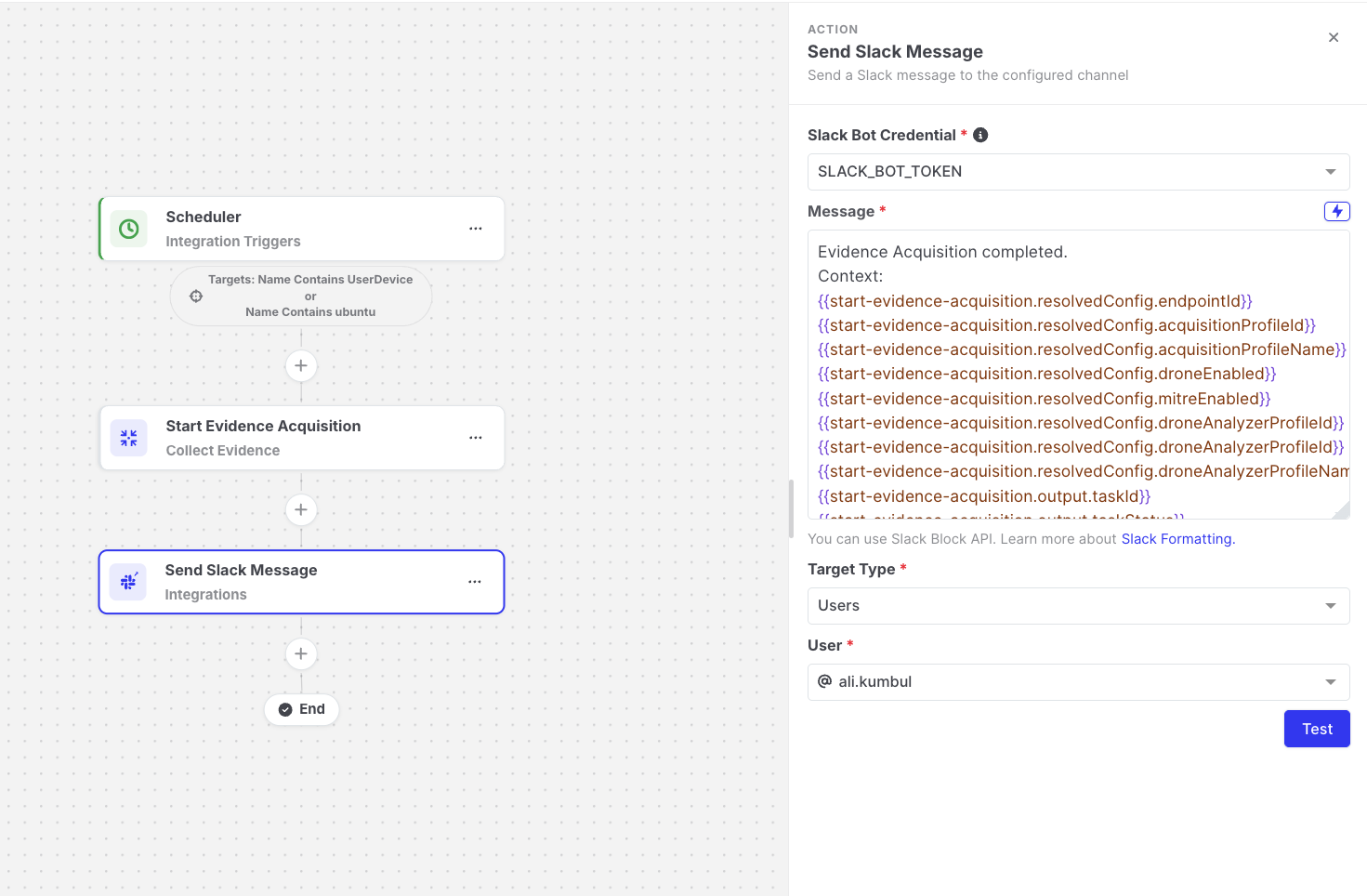
Send Slack Message: Action settings
Prerequisites: create the Slack credential
Section titled “Prerequisites: create the Slack credential”The action posts messages as a Slack app (bot), so you need the app’s Bot User OAuth Token, which starts with xoxb-.
- Create or open a Slack app in your workspace, and add the following bot token scopes:
channels:read,users:read,groups:read, andchat:write. - Install the app to your workspace, and copy the Bot User OAuth Token.
- To post to a private channel, invite the app to that channel in Slack.
- In AIR, go to Automations > Variables, and create a variable with the token as its value. Turn on Store as Encrypted. See Variables.
Only encrypted variables can be selected as a credential, so the token is never displayed again after you save it.
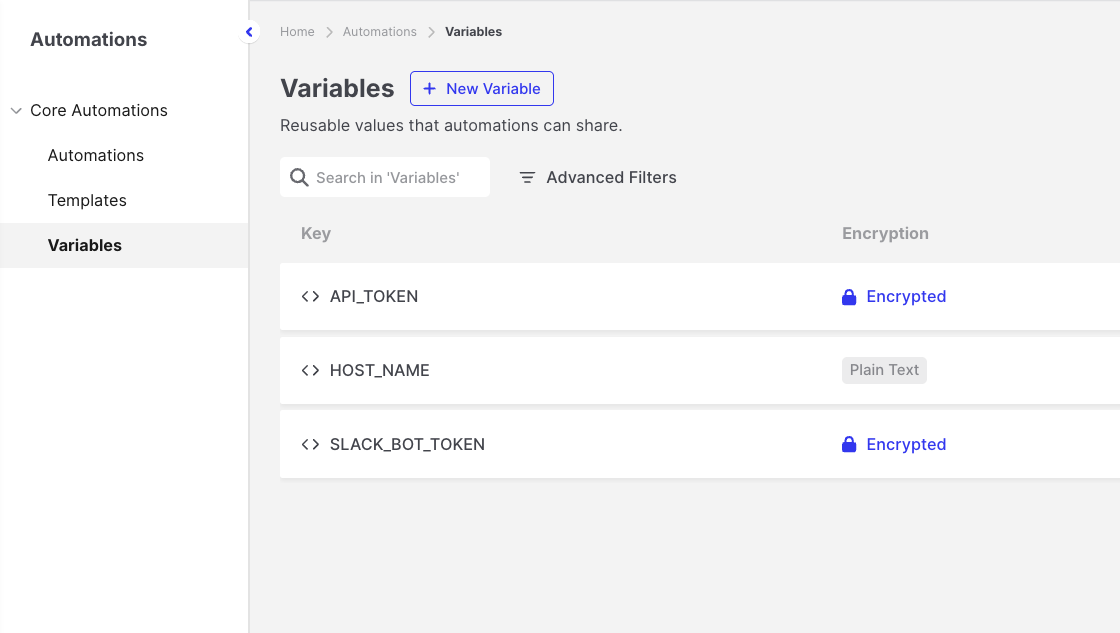
Send Slack Message: Encrypted variable for the Slack token
Settings
Section titled “Settings”| Setting | Description |
|---|---|
| Slack Bot Credential | The encrypted variable that holds the bot token. |
| Target Type | Channels or Users. |
| Channel / User | The channel or user to send the message to. The list is loaded from Slack using the selected credential. |
| Message | The text to send. Supports expressions. |
If the channel or user list stays empty, check the token and the bot token scopes listed above.
Message format
Section titled “Message format”- Plain text: write your message using Slack formatting, such as
*bold*,_italic_, and links. - Block Kit: paste Slack Block Kit JSON to send a richer layout. You can also use expressions inside the JSON. See Slack’s Block Kit Builder.
:rotating_light: *{{global.automationName}}* ran on *{{targetAsset.name}}*High-severity findings: {{start-evidence-acquisition.output.findingCounts.high}}Output available to later steps
Section titled “Output available to later steps”| Field | Example expression |
|---|---|
| Slack response status | {{send-slack-message.output.httpStatus}} |
| Channel the message was sent to | {{send-slack-message.resolvedConfig.channel}} |
- Use Test to post a test message to the selected channel or user.
- If Slack rejects the message, for example because the token was revoked or the bot is not a member of the channel, the step fails.