

Send to SIEM
Overview
Section titled “Overview”The Send to SIEM action sends an event to your SIEM, such as Splunk, QRadar, Microsoft Sentinel, or Elastic, over syslog in the CEF format.
Use it to bring automation results to your SOC, for example to send an event to the SIEM whenever an automation isolates an asset.
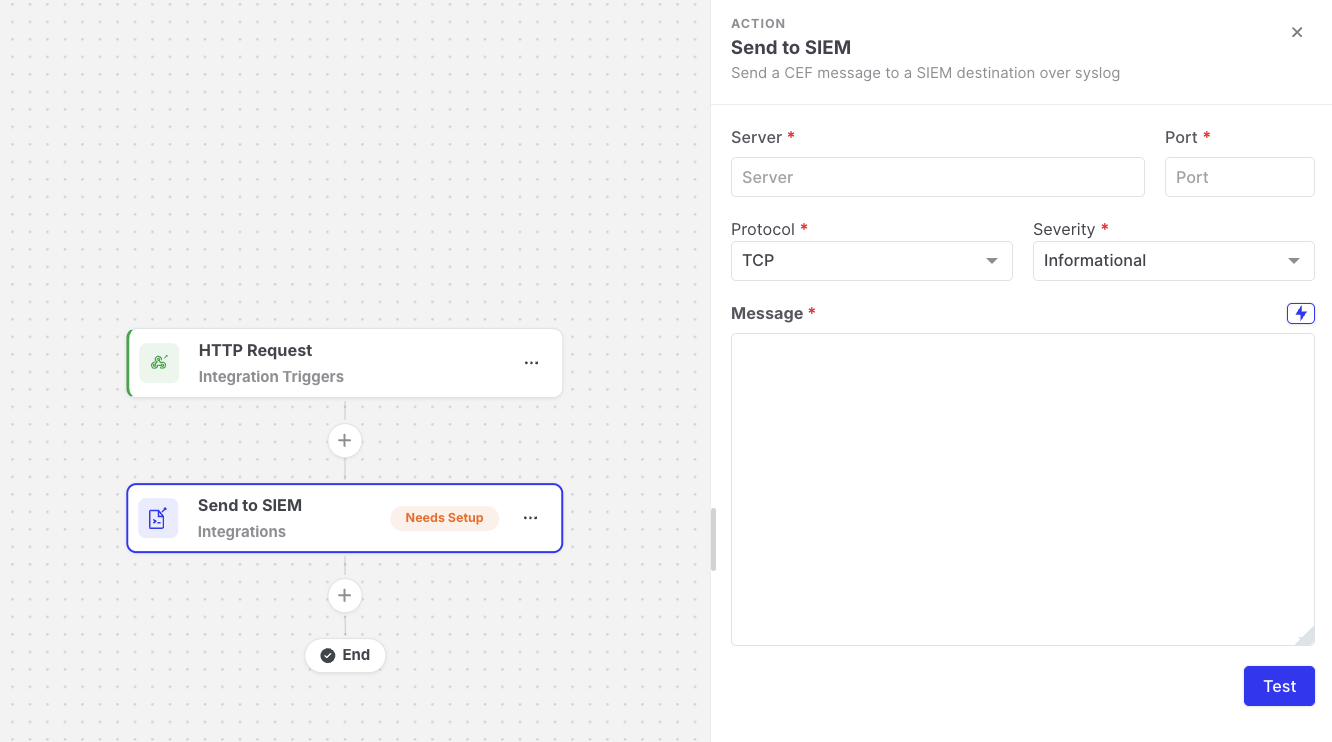
Send to SIEM: Action settings
Settings
Section titled “Settings”| Setting | Description |
|---|---|
| Server | The IP address or host name of your SIEM or syslog collector. |
| Port | The port the collector listens on (1–65535). |
| Protocol | TCP or UDP, matching your collector. |
| Severity | Error, Warning, or Informational. Displayed as the event severity in the SIEM. |
| Message | The event text. Supports expressions. |
Asset {{targetAsset.name}} ({{targetAsset.ipAddress}}) isolated by automation {{global.automationName}}Output available to later steps
Section titled “Output available to later steps”| Field | Example expression |
|---|---|
| Destination | {{send-to-siem.resolvedConfig.server}}:{{send-to-siem.resolvedConfig.port}} |
| Message as sent | {{send-to-siem.resolvedConfig.message}} |
- This action is independent of the Console-wide SIEM forwarding configured in Settings > SIEM. Each Send to SIEM action uses the server and port configured on the action itself.
- Use Test to send a test event and verify that it arrives in your SIEM.
- With UDP, the SIEM does not confirm delivery, so the step succeeds as soon as the event is sent. Use TCP if you want delivery errors to fail the step.