

Git Repository Synced
Overview
Section titled “Overview”The Git Repository Synced trigger starts an automation when a connected Git repository finishes syncing its files and generating Hunt/Triage rules.
Use it to put new detection content to work immediately: when your team pushes new YARA, Sigma, or osquery rules to the repository, hunt with them on selected assets.
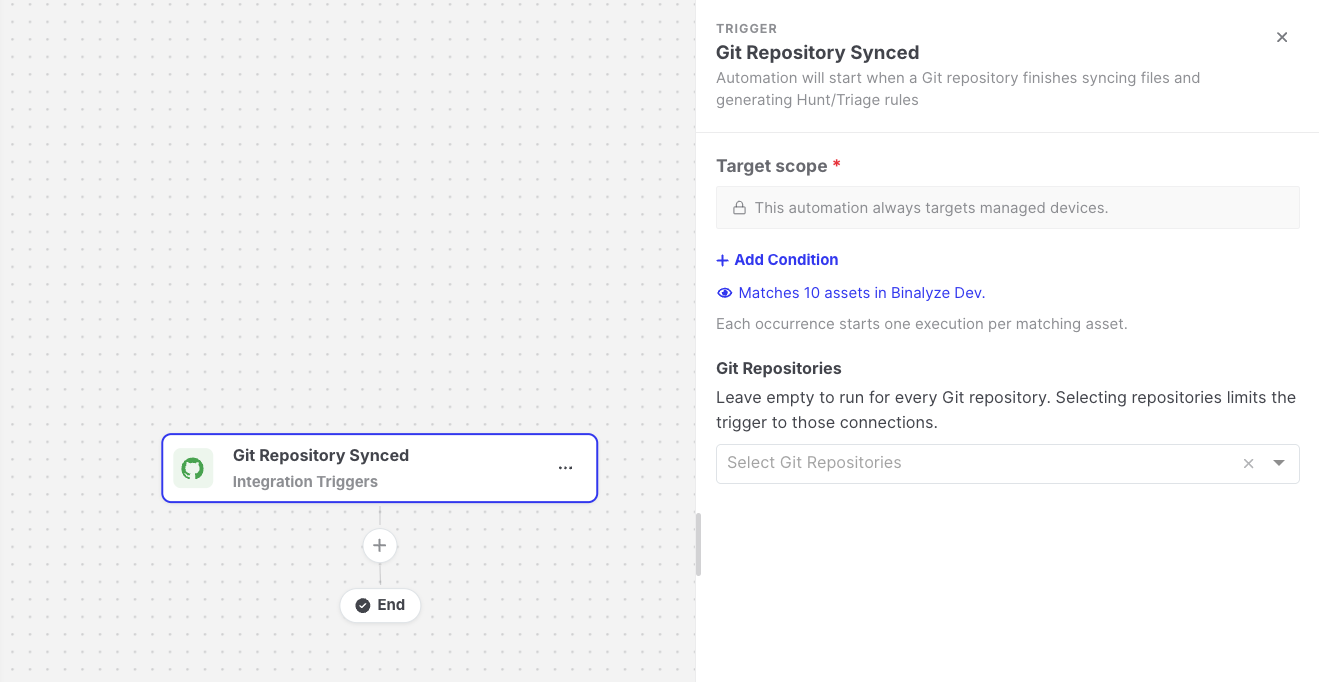
Git Repository Synced: Trigger settings
Settings
Section titled “Settings”| Setting | Description |
|---|---|
| Target scope | The assets the automation runs for after each sync. Every matching asset gets its own execution. See Asset targeting. |
| Git Repositories | Optional. Leave it empty to run for every Git repository, or select repositories to limit the trigger to them. |
How it works
Section titled “How it works”- The trigger fires after a repository sync completes successfully, whether the sync was started manually, by a schedule, or by a webhook from your Git provider.
- The automation only reacts to repositories in its own organization. A repository in another organization never starts it.
Data available to later steps
Section titled “Data available to later steps”| Field | Example expression |
|---|---|
| Repository name and ID | {{git-repository-synced.repositoryName}} |
| How the sync was started | {{git-repository-synced.triggerType}} |
| Files added, modified, and deleted | {{git-repository-synced.filesAdded}} |
| Rules created, updated, and deleted | {{git-repository-synced.rulesCreated}} |
| Tag names of the generated rules | {{git-repository-synced.triageRuleTagNames}} |
- This trigger is only available when the Git Repository feature is enabled on your Console.