

Evidence Acquisition Completed
Overview
Section titled “Overview”The Evidence Acquisition Completed trigger starts an automation when an evidence acquisition finishes successfully on an asset. In the trigger list, it appears as Acquisition Completed.
Use it to act on collected evidence, for example to notify the team with the finding counts, or to isolate the asset when DRONE reports findings.
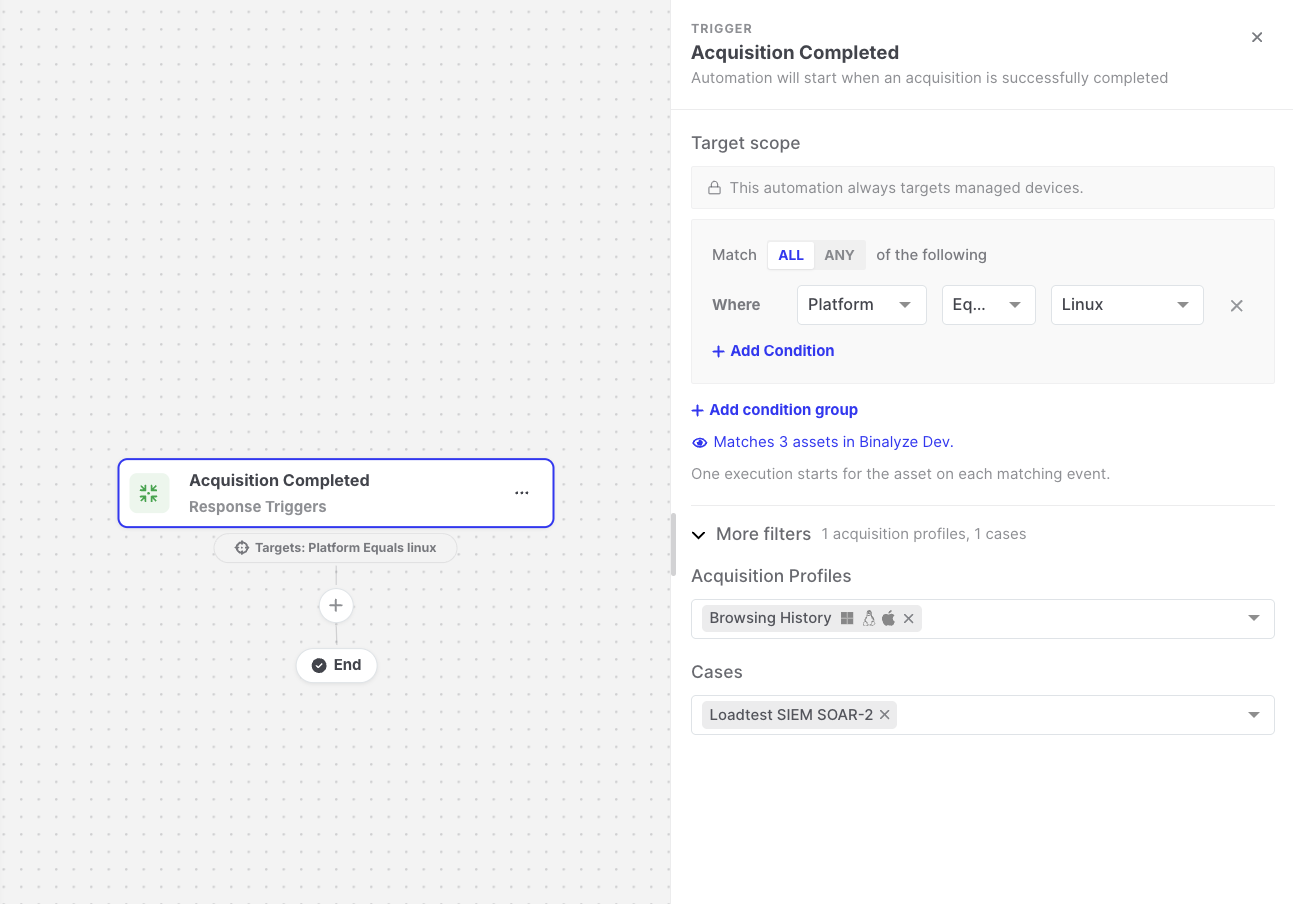
Evidence Acquisition Completed: Trigger settings
Settings
Section titled “Settings”| Setting | Description |
|---|---|
| Target scope | The assets the automation runs for. The asset on which the acquisition finished must match. See Asset targeting. |
| More filters > Acquisition Profiles | Optional. Runs only for acquisitions that used one of the selected profiles. |
| More filters > Cases | Optional. Runs only for acquisitions in one of the selected cases. |
Data available to later steps
Section titled “Data available to later steps”| Field | Example expression |
|---|---|
| Asset name, platform, OS, IP address, and group | {{acquisition-completed.endpoint.endpointName}} |
| All findings and DRONE findings | {{acquisition-completed.findingCounts.allFindings}} |
| Duration in seconds | {{acquisition-completed.timeTookInSeconds}} |
| Evidence file details (name, size, hash) | {{acquisition-completed.taskAssignmentMetadata.hash}} |
- Finding counts are best-effort. A value of
0can also mean that the counts could not be read, so it does not definitively prove that there are no findings. - Acquisitions created by an automation’s Start Evidence Acquisition action only start this trigger if Trigger Other Automations is enabled on that action.