

Console Settings
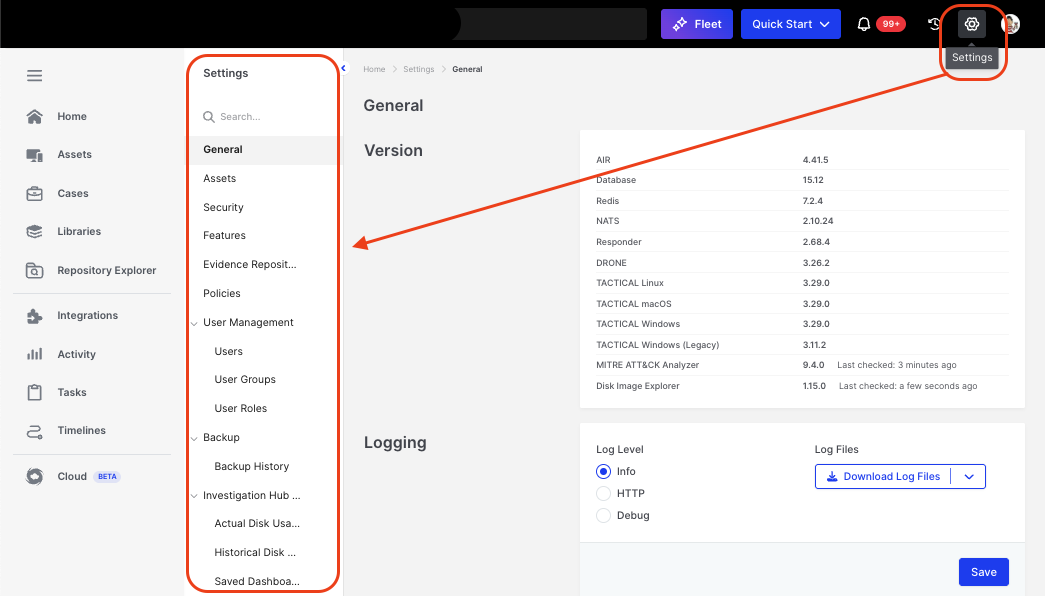
Console Settings: Categories in AIR's Secondary Menu
All console settings can be accessed via the gear icon in the top-right corner of the header bar. This page provides a complete guide to configuring and managing settings across AIR, including:
- General Settings: Platform-wide configurations.
- Assets: Managing asset inventories.
- Security: Setting up security features.
- Features: Customizing AIR’s core functionalities.
- Evidence Repositories: Configuring storage for collected evidence.
- Policies: Defining evidence collection rules.
- Stale Assets: Deciding when a device is stale, and whether it is kept, purged from the Console, or purged with the Responder uninstalled. Includes Policies and Removal History. See Stale Asset Policies.
- User Management:
- Users
- Groups
- UserRoles
- Backup and Backup History: Managing backups and retention schedules.
- Investigation Hub Disk Usage: Empowers users to manage Investigation Hub data storage effectively.
- Danger Zone.
Each section ensures optimal setup for your AIR environment.
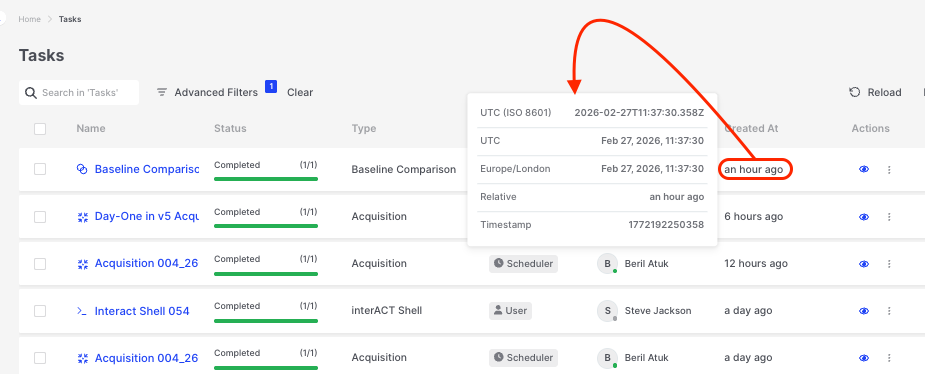
Console Settings: Contextual pop-over that reveals different time formats